

A website for remodeling contractors that shows the work and brings in leads
Answer six questions in the OpalSketch portal and it writes your site: your services, your area, your photos and reviews, and a Design your space button that opens the 3D designer in your brand. During the beta you build and preview it in the portal; sites go online at their own address when the OpalSketch cloud service opens.
What your site does
One page that says who you are, what you do and where, shows your finished work, and gives a visitor two easy ways to reach you.
Written from your answers
Your name, what you do, where you work, phone and email, a few photos and a color. OpalSketch writes the headline, services and about text, and shows the site in a phone preview.
Your own address
The site lives at yourname.opalsketch.com. On the Business plan it can use your own domain instead.
Reasons to choose you
Short trust badges under your headline, such as licensed and insured or a free in-home measure, and up to four steps of how a project works.
Design your space
A button that opens the 3D designer in your brand, so a visitor can draw their room with real cabinets. A Client sign in button takes your clients to their project page. Each one can be switched off.
Leads in the portal
Inquiries from the contact form land under Contacts, Leads. When a visitor made a design and sent it, Open design shows it.
The brands you carry
The site shows the products and brands you carry, and leaves out the brands you switched off in the portal.
A portfolio that answers what clients ask
Homeowners want to know what you built, where, and what it looked like before. Each project card says so.
- A before and after slider on any project, or the plan and the 3D design side by side.
- Place, year and scope on every card: kitchen, bath, cabinets, counters.
- Client reviews with stars, next to the work they describe.
- Publish from the portal's gallery manager, and the photos also feed your public gallery with shop-this-look products.
Who it is for
Contractors without a site
Kitchen and bath remodelers, cabinet and countertop installers, and design-build firms that need a clear page with their work, their area and a way to call. The site is part of the Studio plan, so it comes with the designer, quotes and the client portal.
Contractors with a site already
Keep it. Paste one line into your current site for a Design your space button and a contact form that sends the inquiry to your portal.
How to publish your site, step by step
Open Website in the portal
Open the portal in your browser; there is nothing to install. Website asks the six questions.
Answer and add photos
Give your name, trades, area, phone and email, a few photos and a color. Add your logo too; the client page and the designer's presentation use it.
Add projects and reviews
Fill in the Why choose us box, add client reviews one per line, and publish finished projects with a before and after.
Check the phone preview
The preview shows the site the way it looks on a phone. Change an answer and look again.
Put it online
Today Put my website online gives you a small file to send to OpalSketch. With the OpalSketch cloud service the site goes live at yourname.opalsketch.com on its own.
Compared with flyers, a social page or a site built by hand
The usual way
Photos scattered across a social page, a flyer with a phone number, or a site someone built once and nobody updates. A lead arrives as a phone call or an email with no measurements and no picture of what the person wants.
With OpalSketch
The site comes from the same portal you run your jobs in, so a finished project becomes a portfolio card. A visitor can sketch their room in 3D first, and the lead lands with the design attached, ready to open in the designer.
Questions
Which plan includes the website?
Studio and up. Studio is $69 a month per workspace with unlimited users, and Business at $89 a month adds your own domain. See pricing.
Is it live today?
The portal and the Website screen run in your browser as a preview. Your own address going online by itself, and leads landing in the portal, need the OpalSketch cloud service, which opens later in the beta. Until then the contact form opens an email to you.
Can I see one first?
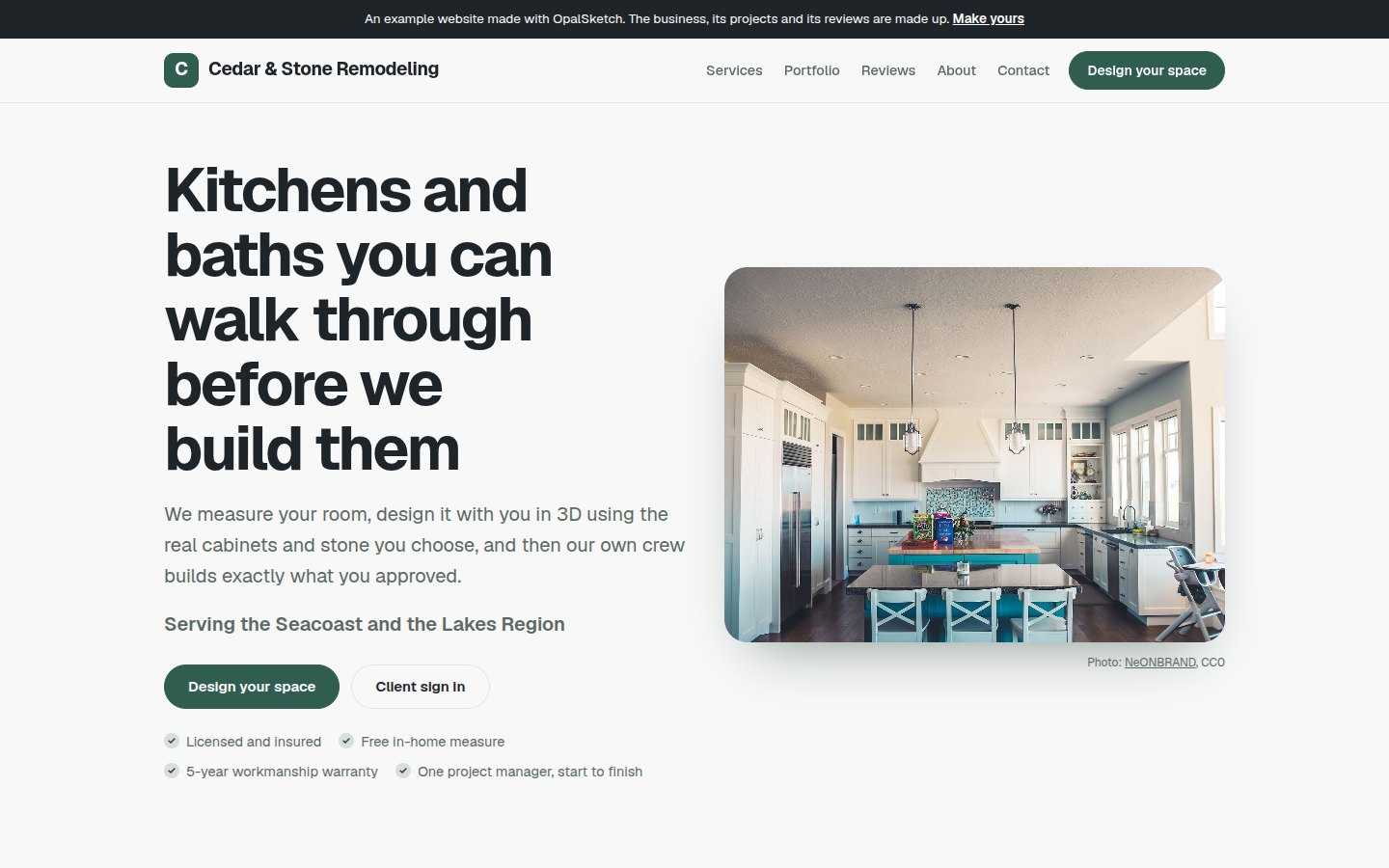
Yes. The example contractor site is a made-up remodeler whose images are designs made in OpalSketch. A real business shows its own photos.
Will homeowners find me through OpalSketch?
Businesses that design in OpalSketch, publish a website from the portal and pass our checks can be listed on the verified professionals page.
What can visitors design on my site?
Kitchens and baths in the 3D designer, in your brand. See the 3D kitchen planner for what it does.
Show your next client what you build
Look at the example site, then open the portal and answer the six questions in Website.