

A free 3D kitchen planner that runs in your browser
Draw your kitchen to scale, place real cabinets and appliances, and walk through it in 3D before you talk to anyone about money. There is nothing to install and no sign-up to try it.
What the planner does
OpalSketch is the same 3D designer that kitchen and bath businesses use for real jobs. The cabinet sizes come from the manufacturers' own spec books, so the pieces you place are pieces that are really made.
A floor plan to scale
Draw the room to size, or answer four questions in the room wizard and it is drawn for you. Doors and windows sit on their walls, and each piece shows its size and the gaps beside it as you place it.
Start from a layout
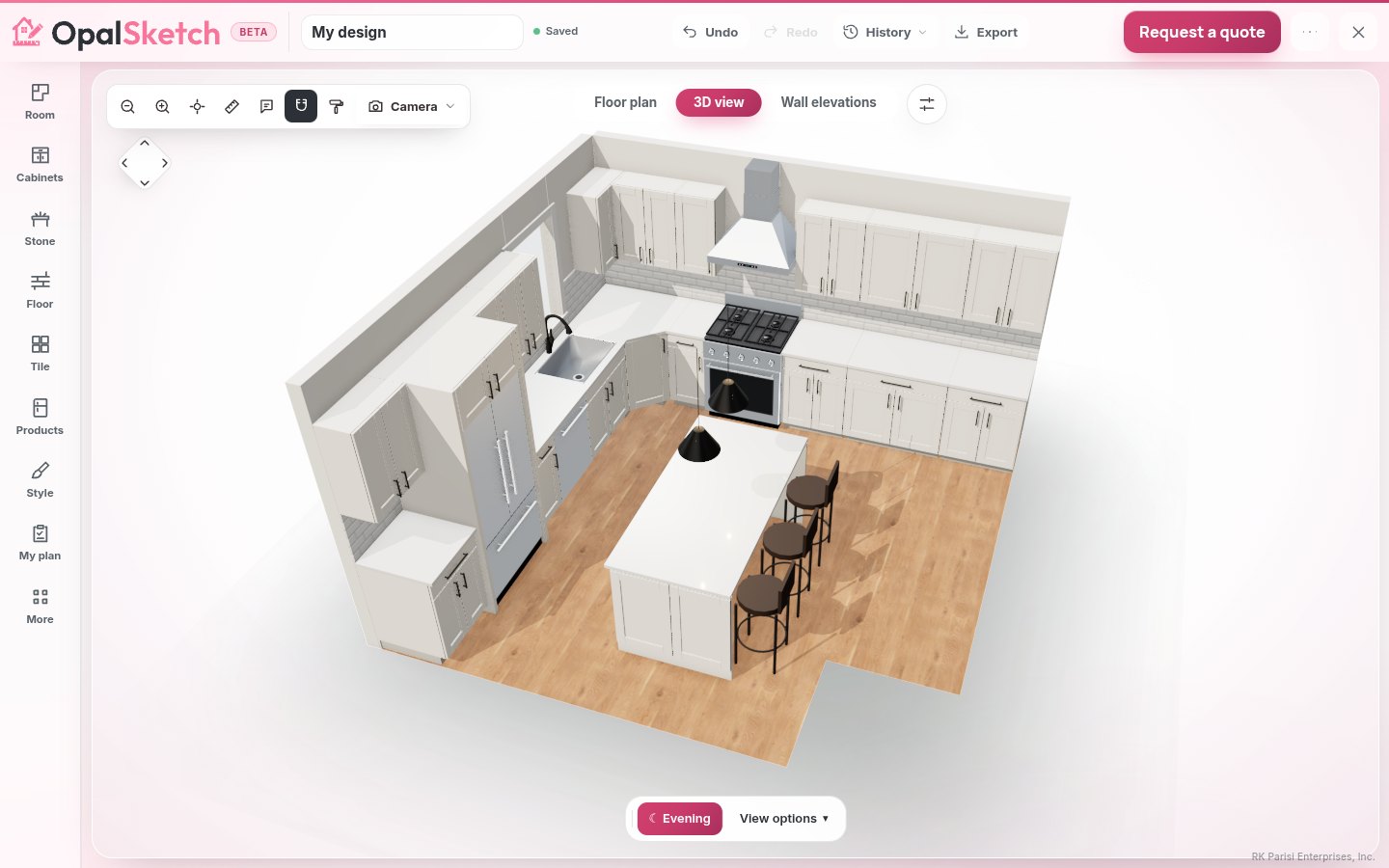
Pick a one-wall, galley, L, U or L with island layout, or let Design it for me furnish the room with standard cabinets, filler and clearances.
3D with the walls cut away
See the room with the walls toward you cut away. Walk in at eye height, open the doors and drawers, and change the light from morning to night.
Finishes at their real size
Try countertops, floors, tile, backsplash, walls and cabinet colors. Tile and planks are laid at their real size with grout lines. Color only the island or the wall cabinets for a two-tone kitchen.
Sinks, faucets and hardware
A sink and faucet wizard picks the bowl, the faucet style and its finish. Knobs and pulls come in many shapes and finishes.
Plan notes as you go
The Worth a look list points out what the NKBA kitchen planning guidelines flag, such as counter space beside the sink and range, the work triangle and 42 inch work aisles.
Who it is for
Anyone who wants to see a kitchen before paying for one. You do not need to know cabinet codes or CAD.
- Homeowners comparing an L with an island against a U before a remodel.
- DIYers who want to check that a 36 in range and a dishwasher fit on one wall.
- Anyone who wants to try white uppers over a navy island without buying samples first.
- People on a phone at the job site: the designer has a bottom bar, large touch targets, a long press for the piece menu and a double tap to turn a piece.
How to plan your kitchen, step by step
Measure the room
Measure each wall, the windows, the doors and the ceiling, in inches. Our guide on how to measure your kitchen walks through it.
Draw it or use the wizard
Open the designer and draw the walls, or answer the room wizard's four questions. Add the doors and windows where they really are.
Pick a layout
Start from one of the five layouts, or use Design it for me. Then move, widen and swap pieces. Narrower and Wider step to the next width the cabinet line really sells.
Check the notes
Look at the Worth a look list as you go. A note never blocks you; it says what to look at. The planning guidelines page explains every number.
Walk through it in 3D
Switch to 3D, walk in at eye height and open the drawers. Try the finishes until it looks right to you.
Planning on paper versus in 3D
Graph paper is a fine place to start. It is a hard place to finish.
On paper
You draw boxes and hope the sizes exist. A 25 in cabinet looks the same as a 24 in one. You cannot see whether the dishwasher door hits the corner, or how a dark floor looks with dark cabinets. Every change means erasing and drawing again.
In OpalSketch
Cabinet widths step only to sizes the line sells. Gaps and runs are measured for you. The plan notes the dishwasher's standing room at a corner. You see the room in 3D in the light you choose, and an idea takes a click to undo.
When to bring in a professional
A plan you make yourself is a good way to know what you want. Before anything is ordered, someone should measure the room again and check the plan against the cabinet maker's specifications and your local code.
Verified professionals
Kitchen and bath designers, dealers and contractors listed on our professionals page design their projects in OpalSketch and have been checked by us: a working phone and address, the license and insurance their state requires, and a website with their work. They measure, design with you, price it and build it.
Send your plan
When a business offers the designer on its own site, the Send my design button delivers your name, contact details, cabinet list and the full design to that business, so nobody starts over.
Questions
Is the 3D kitchen planner really free?
Yes, on the Free plan. You get the 3D designer and the 2D plan: build a room, place products, see it in 3D, measure it and download pictures, plans and 3D files. Your designs are saved in this browser. The Designer plan saves projects to your account so you can open them on any device. See pricing.
Do I need to create an account?
No. Open the designer and start. No sign-up is needed to try it.
Are the cabinet sizes real?
Yes. They come from each manufacturer's spec book and are checked code by code. A size the book does not confirm is never guessed.
Does OpalSketch design or build my kitchen?
No. OpalSketch makes the software. A professional you choose designs the room with you, prices it, does the work and stands behind it.
Can I plan a bathroom too?
Yes. The room helper lays out powder rooms, hall baths, walk-in showers and primary baths. See the bathroom design planner.
Draw your kitchen tonight
Open the designer, pick a layout and walk through it in 3D. When you are ready to build, find a verified professional near you.