

A cabinet layout tool that only places cabinets that are really made
Lay out base, wall and tall cabinets on a plan to scale, with the codes and sizes from the manufacturers' spec books. Check the plan notes and the wall elevations, then export a dealer order list or a DXF.
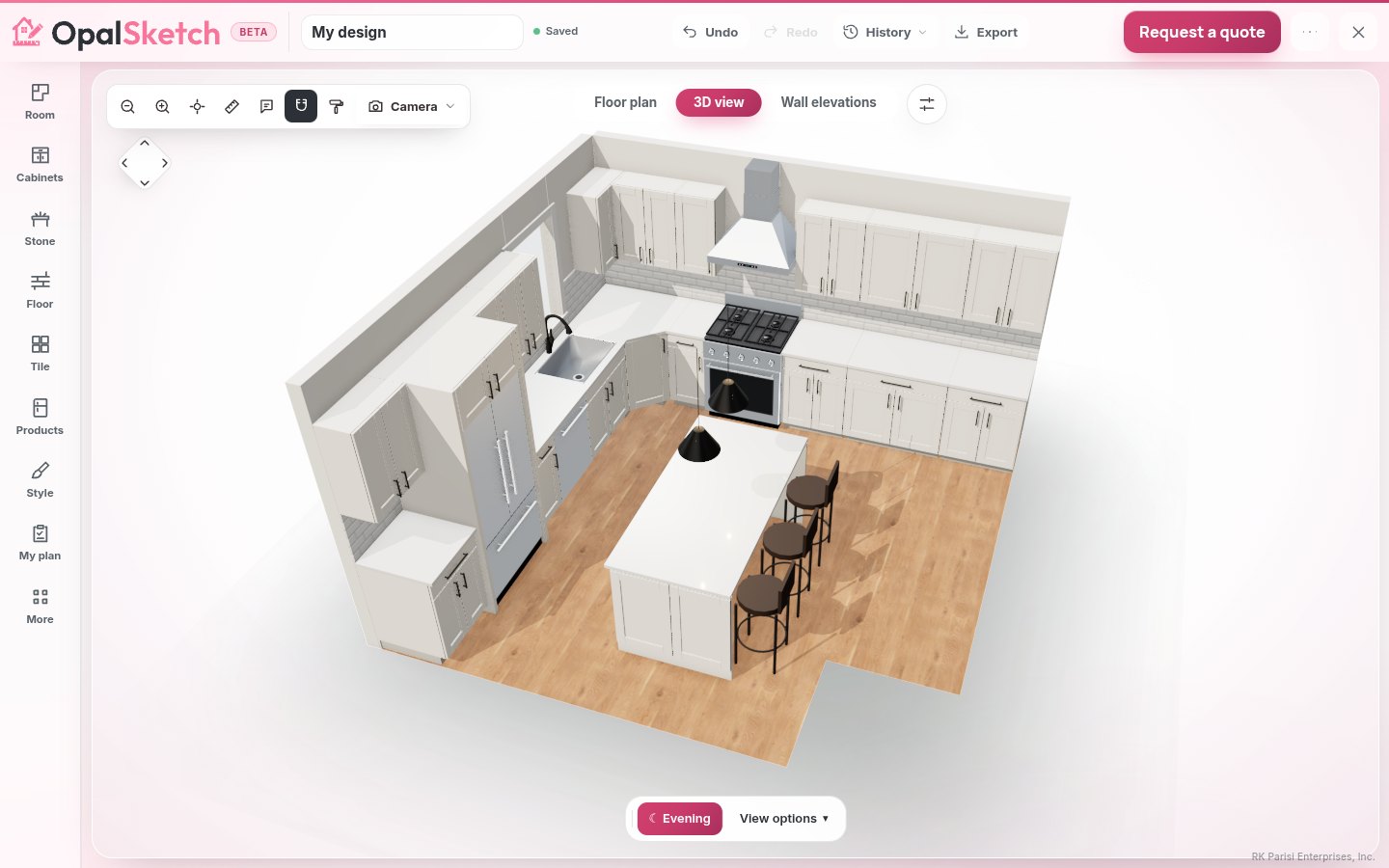
Sizes from the catalog, not from a guess
The designer carries 2,527 cabinet codes from six brands, each size checked against the maker's spec book. A size the book does not confirm is never guessed: that piece is listed as quoted by the team.
Narrower and Wider
Each step goes to the next width the line really sells, with its code, and its price when prices are on. You cannot drift into a 25 in base that nobody makes.
Customize
Lists the modifications the maker's book allows, for makers whose book lists them.
Spec books on hand
Each brand's catalog and spec book opens from the designer, beside the brand in Cabinets.
Gaps measured as you go
Every piece shows its size and the gaps beside it as you place it, and every width and run on the plan is measured.
Wall elevations
Step from wall to wall with each cabinet's code on a tag, the dimensions, and the knobs, pulls and appliances drawn as picked. Switch dimensions, labels and item numbers on or off.
Your own lines
Bring in your own 3D models and DXF plans. Dimensions you confirm are kept as the authoritative size.
Plan notes while you lay it out
The Worth a look list points out what the NKBA kitchen planning guidelines flag. A note never blocks a layout and never changes a size. The planning guidelines page gives every number.
- Counter beside the sink (24 in and 18 in), the range (15 in and 12 in), the refrigerator and a wall oven (15 in).
- The work triangle, each leg from 4 to 9 ft and 26 ft or less in all.
- Work aisles of 42 in, 48 in when two people cook.
- About 21 in of standing room beside the dishwasher at a corner.
- A wall cabinet over a refrigerator that starts above its top, and none in front of a window.
What you can take out of it
Every file is made in your browser. The exports never change a size.
One row per cabinet code with quantity, description, brand, collection, width, depth, height and prices. It ends with a takeoff: hinges, drawer slide pairs, pulls or knobs, toe kick in linear feet, and crown molding and light rail marked if used.
The room and every piece as closed outlines on layers, in inches, each labelled with its code and size, plus the countertops and the faucet and accessory holes. It opens in CAD programs.
Every piece with SKU, size, vendor and price, for Excel or Sheets.
The plan, every elevation, the appliance, door and window schedules, and your notes, to print or send.
OpalSketch does not make cut lists for building boxes from sheet goods. The order list and parts list describe finished cabinets by their catalog codes.
How to lay out cabinets, step by step
Measure and draw the room
Take every wall at three heights in inches (our measuring guide shows how). Draw it, or answer the room wizard's four questions.
Pick a brand and a layout
Choose the cabinet line, then start from a one-wall, galley, L, U or L with island layout, or let Design it for me furnish the room with standard cabinets, filler and clearances.
Fit the runs
Move pieces along each wall and use Narrower and Wider to close the gaps with real widths. Add filler where the run needs it.
Read the notes and elevations
Clear what the Worth a look list flags, or keep it if it is right for the room. Check each wall in elevation.
Export
Download the dealer order list, the DXF or the drawing set. Have the dealer or installer measure the room again before anything is ordered.
Compared with laying out cabinets on paper
On paper
You add up widths by hand, look up each code in the spec book, and redraw the elevations after every change. A miscount on hinges or toe kick shows up when the order arrives short.
In OpalSketch
Widths come only from the line, runs are measured for you, elevations follow the plan, and the order list counts the hardware and trim from the cabinets you placed.
Questions
Can I use it for free?
You can try the designer and the 2D plan on one project on the Free plan, with no sign-up. Saved projects, measurements and exports come with the Designer plan. See pricing.
Does it work with my CAD or dealer system?
The DXF opens in CAD programs as a drawing, and the dealer order list is a plain CSV that dealer systems and spreadsheets can read. Neither is a parametric cabinet import, so another program's own catalog items still have to be placed or matched there.
Can I price the layout?
Yes. Every cabinet becomes a priced line, hidden until you switch prices on. Dealers on the studio edition can turn it into a quote: see kitchen design software.
Does it do bathroom vanities?
Yes. See the bathroom design planner.
Lay out your next run of cabinets
Open the designer, pick a line and a layout, and watch the notes as you place the pieces. No sign-up needed to try it.